KUMIKO
Visual Scene Builder for RPG Maker MZ
Build custom RPG Maker MZ screens with a GUI and nodes — no programming.
Export them as plugins and they run in MZ as they are.
Demo Videos
KUMIKO in actual use (no audio).
From building a screen to playing it in MZ
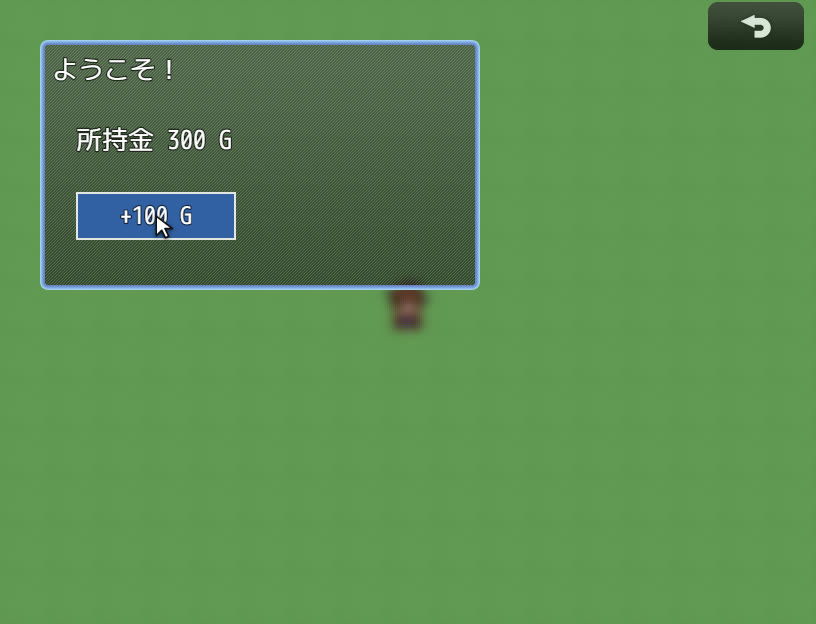
Build a screen with the GUI, add “press the button to gain gold” with nodes, export it as a plugin, and play it in an MZ game.
A dialogue scene with portraits
Start from the dialogue template, write a two-character conversation in the script, and play it in the preview.
What KUMIKO Can Do
Not just menus — build any custom screen you can imagine.
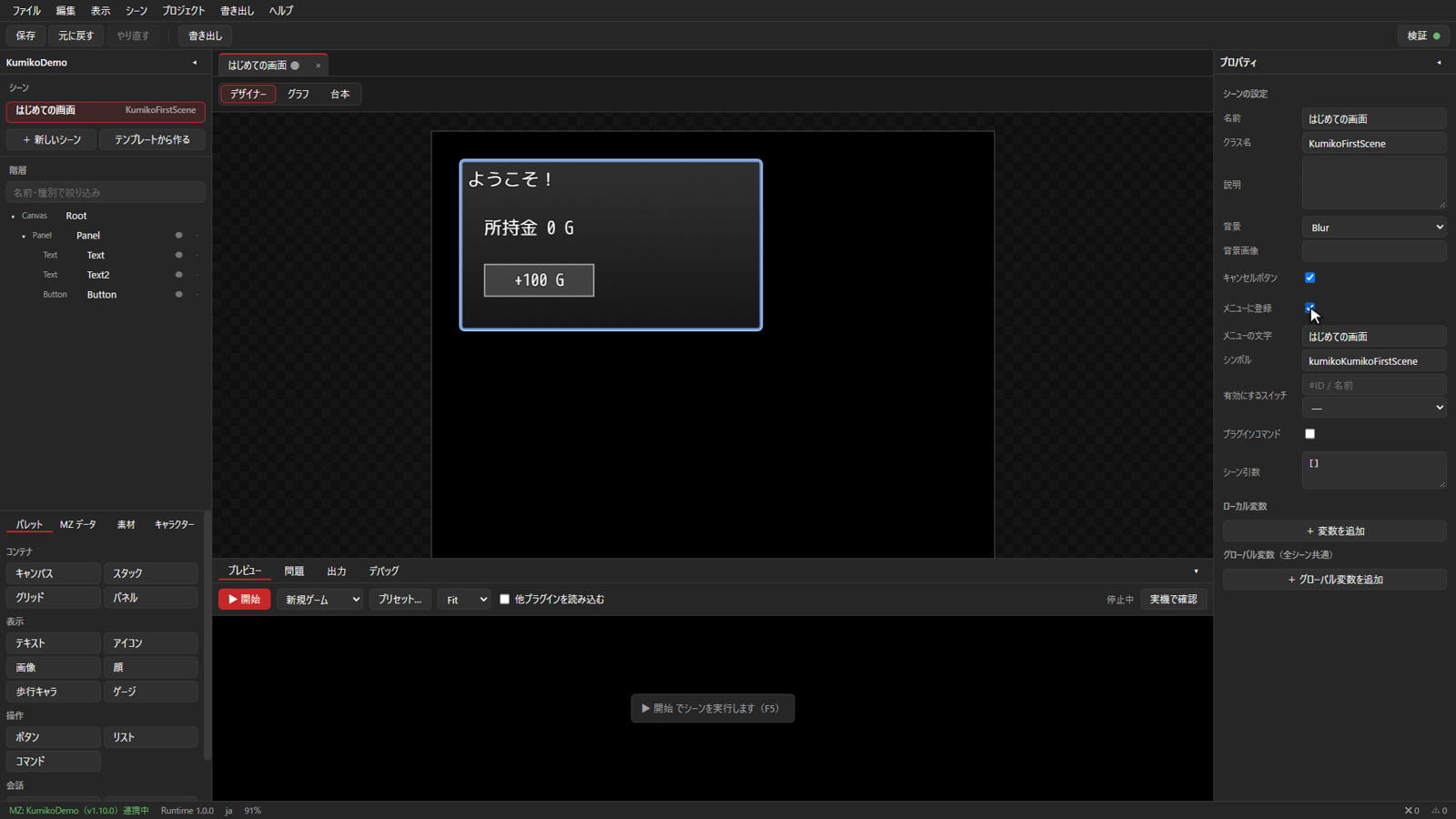
Build screens with a GUI
Drag and drop 17 kinds of widgets — panels, text, images, faces, gauges, buttons, lists and more — and adjust their size and look. Bind them to MZ data such as gold, actors and variables just by choosing from a list.
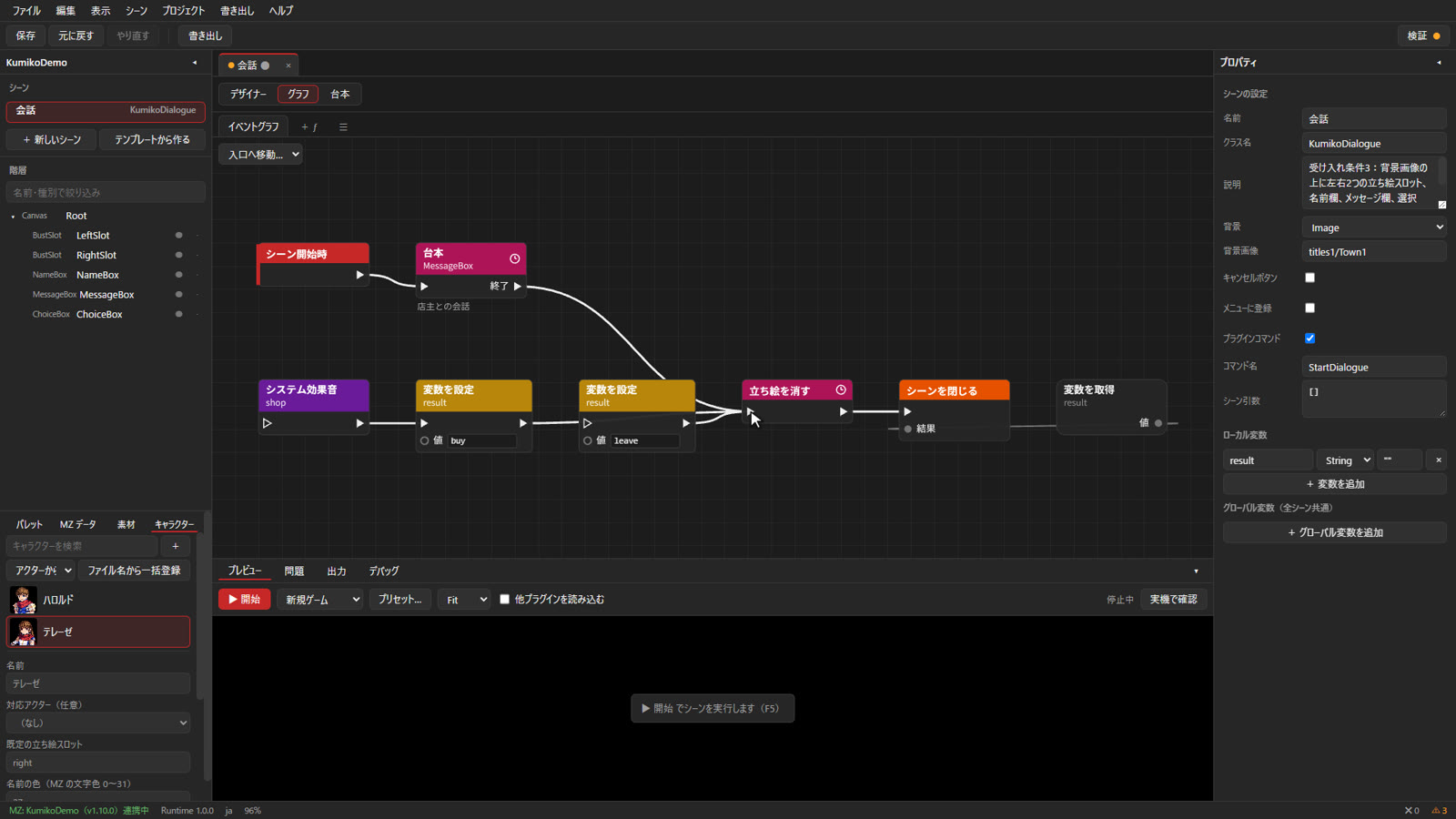
Add behavior with nodes
Create behavior like “when the button is pressed, add gold and play a sound” by connecting about 150 kinds of nodes. No code required.
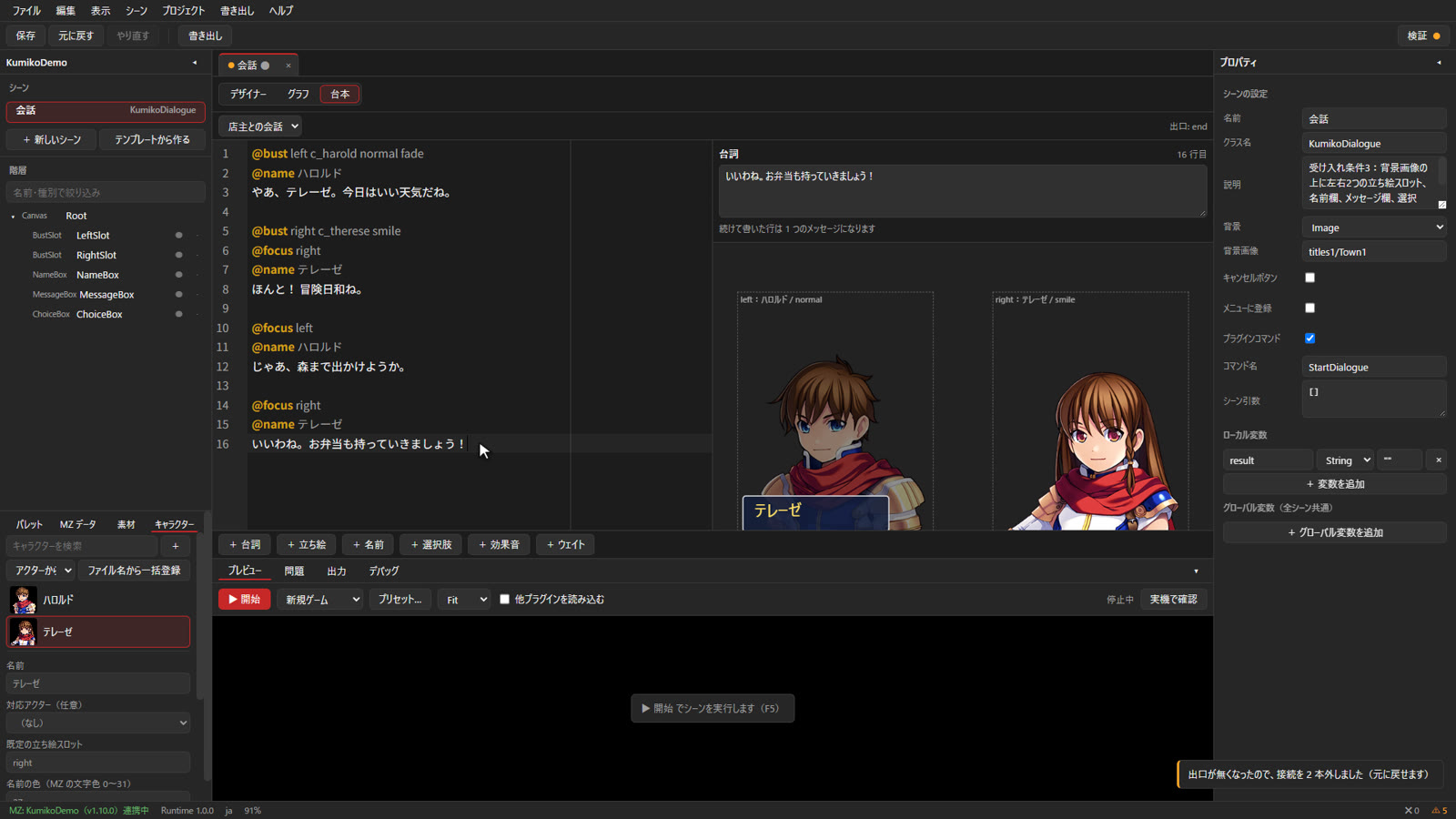
Dialogue and portraits in a script
Write lines and specify portraits, emphasis and choices to build dialogue scenes with character portraits. The line you are editing is previewed instantly on the right.
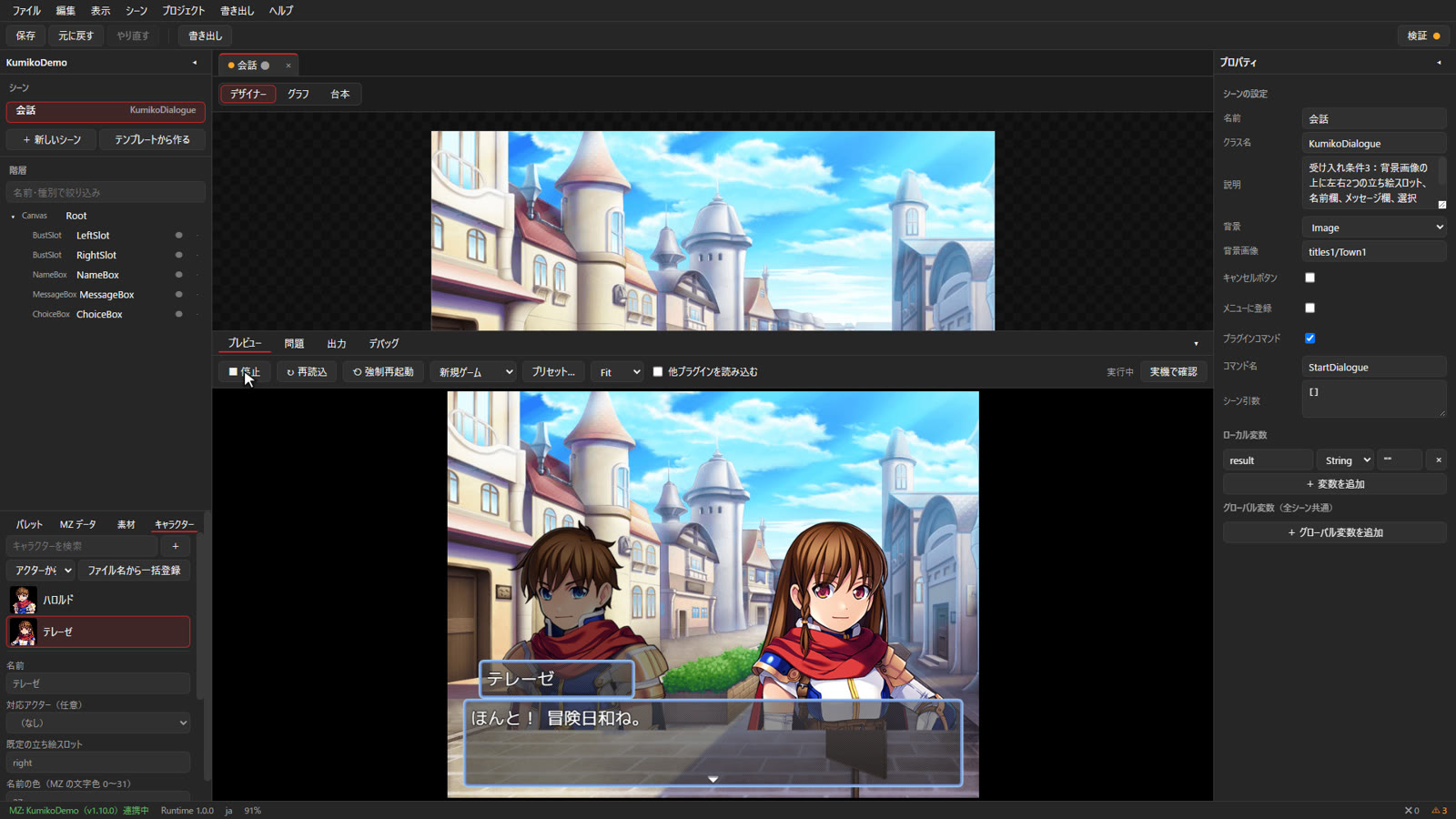
Preview on real MZ
Run the screen you are building as real RPG Maker MZ right inside the editor, or launch a test play with one click.
Export as a plugin and play in MZ
Export your screen as an MZ plugin and turn it on in the Plugin Manager. Open it from the menu or from events.
Named after Kumiko
KUMIKO takes its name from kumiko, a traditional Japanese woodworking craft.
Thin strips of wood are notched and fitted together piece by piece — without a single nail — to form delicate geometric patterns. Used in shoji screens and ranma transoms, kumiko has produced beautiful motifs such as asanoha (hemp leaf) and kikkō (tortoiseshell).
KUMIKO works the same way. You fit together small pieces — panels, text, buttons — and connect them with nodes to build a screen. Just as kumiko needs no nails, KUMIKO needs no code: assemble the pieces, and the screen you imagined takes shape.
Made for First-Timers
Start right away
Start building scenes right away, even with only the default MZ assets.
5 templates
Shop, grid shop, status, dialogue and character gallery — open and customize.
Guided tutorial
Guides you on screen from placing widgets to running your scene in MZ.
Safe for your project
Writes only KUMIKO_ plugin files — never plugins.js or data/.
Requirements
- Engine
- RPG Maker MZ (latest version)
- Editor
- Windows 10 / 11(64bit)
- Games
- Anywhere MZ games run
- Languages
- Japanese, English
- Status
- In development
The release date and download will be announced on X.